
Configure the work your team actually does
A firm with several business lines needs more than a single archive switch. Different teams use different channels, investigate different risks and need different access. Comma brings organizational settings into a Configuration Center, with dedicated controls for connected services and review workflows.
Channels and capture
Choose the channels your organization uses, then configure the capture surfaces supported by each connection.
Explore connections
Policies and reviewers
Set policy instructions, keywords, review thresholds and spot checks. Route policy flags to a review queue with the appropriate reviewers.
See surveillance
People and access
Separate administrative control from read access. Review identity configuration options for the users and administrators in your deployment.
Get in touch
Choose what each connection brings in
Capture settings belong close to the source. For RingCentral, for example, administrators can select calls, available call recordings, voicemail and fax. The choices depend on the connector, the source account’s permissions and the features enabled for your team.

Give each policy an accountable review team
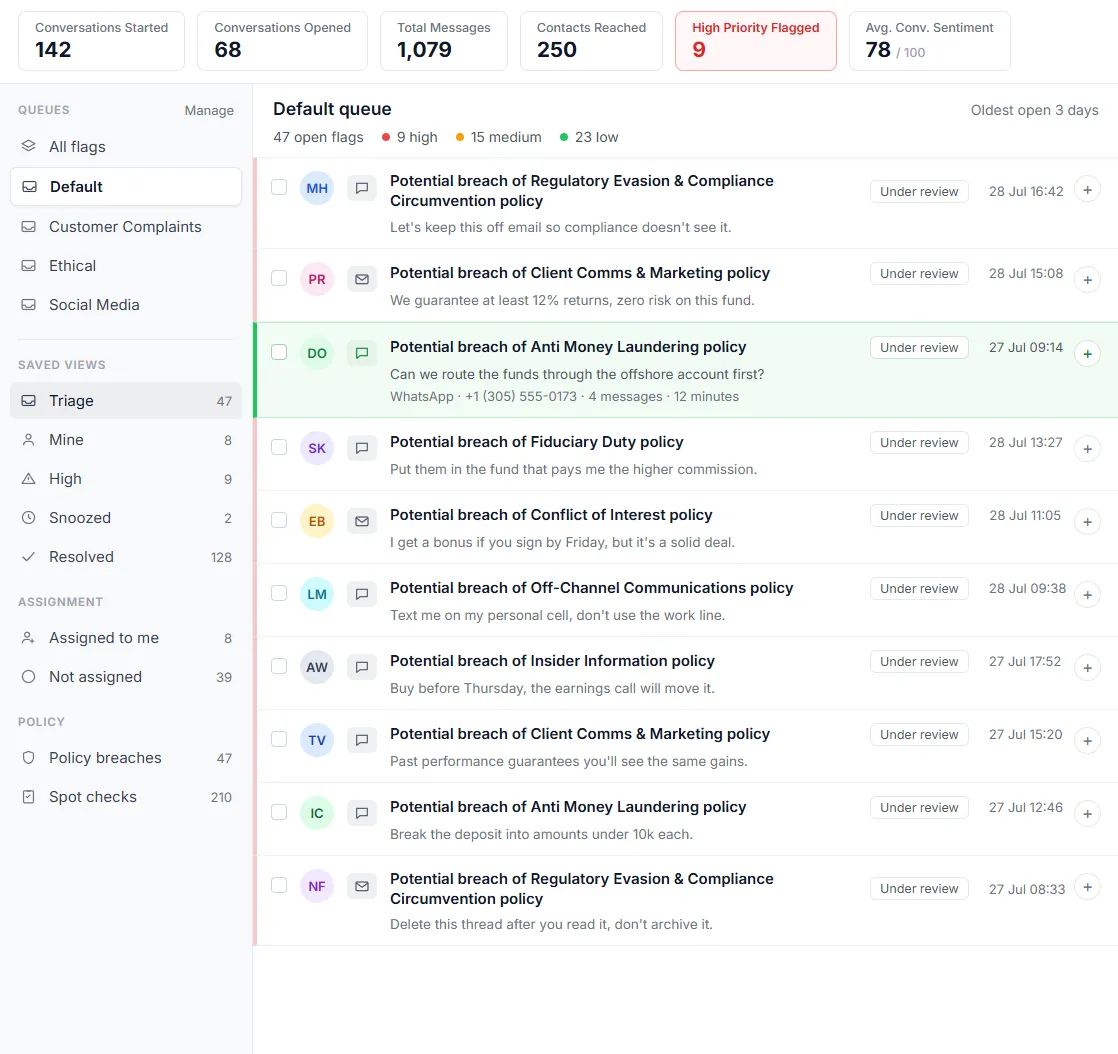
Your review process should reflect who understands the risk. Comma lets you route policies into review queues and assign reviewers to those queues. Reviewers can work through flags, use saved views and connect findings with case work.
Keep legal baselines and counsel’s decisions together
Retention & Jurisdictions gives enabled teams one place to consult legal baselines and document their own policies. Each baseline includes a source citation, jurisdiction, content type and the event that starts the retention period.
Counsel can record a different interpretation and its legal basis. The catalog supports that review; it does not replace legal advice.
Configured vs. enforced
Configured means a value has been saved. Enforced means it is used by the controls operating on your data. Some entries in this workspace document policy decisions without changing those controls.
- Counsel’s recorded interpretations document the firm’s position; they do not change the active retention schedule.
- Policies for branches below the organization’s top-level policy record intent; those branch values do not change the schedule that runs.
- Top-level retention settings are separate from those reference-only entries. We’ll show which controls are active in your deployment.
- A recorded jurisdiction or cross-border policy does not move data. Data location is agreed through a separate deployment review.
Manage your compliance environment in one place
The Configuration Center includes team settings, channels, contacts, classification, retention, regulatory reporting, notifications, audit, APIs and branding. A team’s role and enabled features determine what each person can see and change. Identity configuration and the jurisdiction workspace require enablement.
Team settings cover name, time zone and language. Notification settings let the team tune its delivery cadence. For FINRA-supervised firms, regulatory reporting settings collect firm identity and filing-contact information for the reporting workflow.
The Configuration Center documentation explains where administrators find each group of settings.
Start with the decisions that shape your deployment
Bring a channel inventory, your reviewer groups, identity provider, legal jurisdictions and data-location requirements. We can use those inputs to demonstrate the configuration that fits, including the boundary between a policy recorded in the product and a control operating on your data.
Frequently asked questions
Can different policies go to different reviewers?
Does selecting a legal baseline make our organization compliant?
Do jurisdiction settings change where our data lives?
Are all configuration screens available to every user?
Show us how your organization works.
We'll map your channels, reviewers, legal requirements and deployment constraints to the controls you can use.