
Why Comma Compliance’s iMessage Archiving Is Different
Legacy tools treat iMessage like it’s still 2010. Your compliance strategy deserves better.
Point-of-delivery iMessage archiving
- Messages captured as they arrive, not after a sync
- Stored in an independent, tamper-protected archive, separate from the employee's device
- Deletions on the custodian's device have no effect on the archived record
Business iMessages, captured at the source
- 1:1 and group messages, regardless of device
- Timestamps, contact details, and attachments included
- Thread structure and message order preserved for examination readiness
No device footprint
- Comma does not run on employee devices — no app installation, no MDM requirement, no battery drain
- Designed for BYOD environments where agents on personal phones aren't an option
Why the architecture matters
For your compliance team
Point-of-delivery capture
Messages are archived the moment they're received, not after an iCloud sync or backup. The record exists before the employee can delete it.
Regulator-ready storage
Designed against SEC Rule 17a-4 and FINRA Rule 4511. Immutable, tamper-protected archives with a complete audit trail.
Examination-ready retrieval
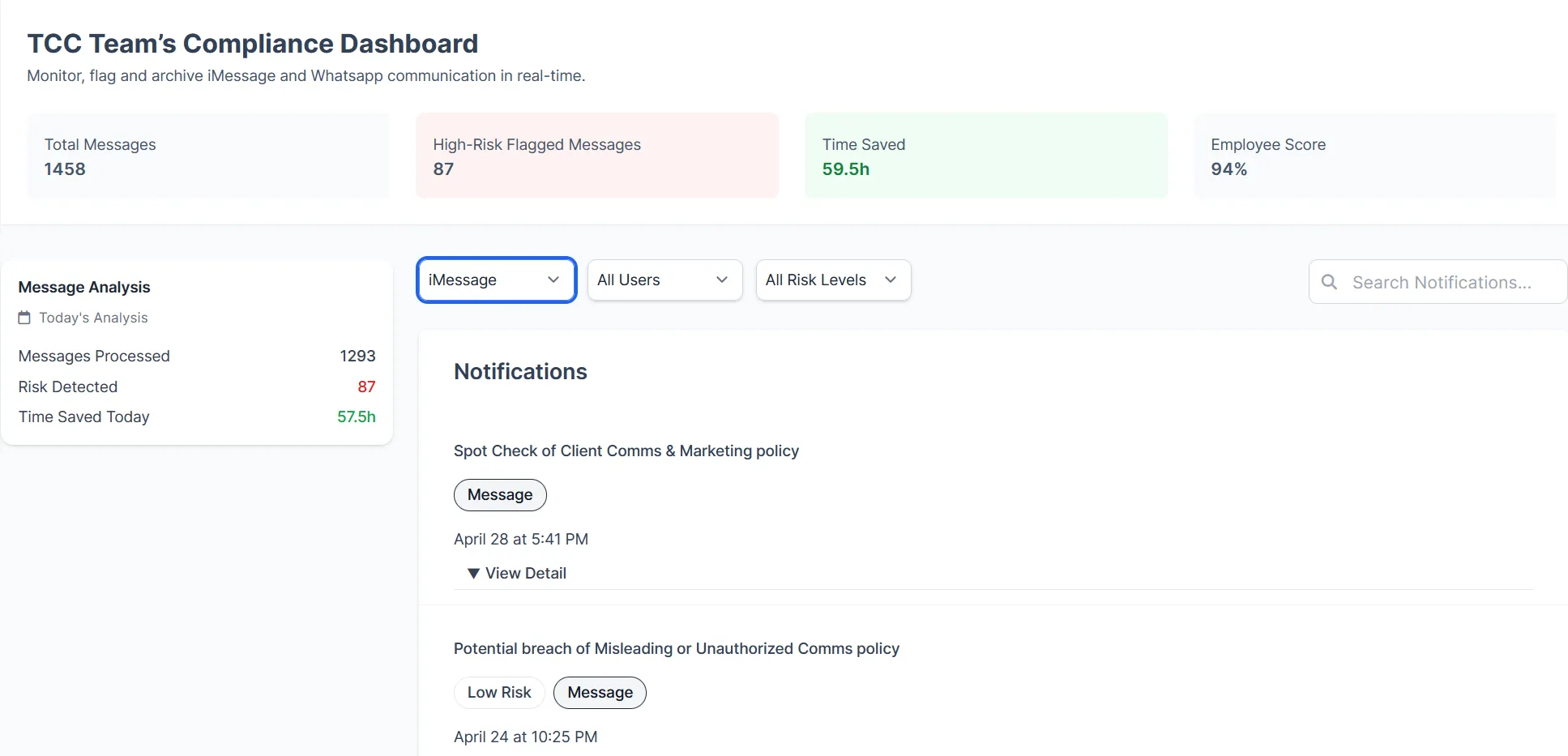
Every archived conversation is searchable and exportable directly from the dashboard. No support ticket, no delay — records in minutes.
For your IT team
No device agents, no MDM
Comma installs nothing on employee iPhones. No MDM enrollment, no configuration profiles, no ongoing device management. Deployment scales from a single registered representative to a 1,000-seat broker-dealer from one centralized admin console — no branch-by-branch IT coordination required.
Immutable once captured
Records are written at the point of delivery and sealed in Comma's external archive. If an employee later replaces their device or deletes a conversation, the archived record is unaffected.
For your employees
Blue bubbles stay blue
Some compliance tools downgrade iMessage to SMS, turning conversations green and stripping features like read receipts, reactions, and typing indicators. Comma preserves the native iMessage experience. Nothing changes for your team.
Personal messages stay private
A simple toggle keeps personal contacts separate. Nothing from friends or family is ever captured.
What Regulators Look For During an Exam When iMessage Is in Scope
When FINRA and SEC examiners review iMessage communications during an examination, they aren’t just looking for evidence that it was used. They’re looking for evidence that your firm knew about the risk and had controls in place to address it — and that those controls actually worked. In practice, four things come under scrutiny.
Your written supervisory procedures
Under FINRA Rule 3110, firms are required to have documented policies on off-channel communications that are current, enforced, and demonstrably working. Examiners want to see that your WSPs address personal device messaging specifically: not just a generic policy that predates the iPhone.Your training records
Did employees receive training on which channels are approved? Can you prove it? iMessage is pre-installed on every iPhone and looks identical to SMS. Without explicit training, most employees don't register it as a separate compliance consideration.Tone from the top
iMessage is the default on every personal iPhone. If a managing director texts a client from their personal number, it goes through iMessage automatically — often without either party thinking of it as a compliance event. Regulators know this. They look at whether leadership treats personal device messaging as a risk, not just a convenience.Whether you can produce the records
iCloud sync is not a compliance archive. If an employee's iCloud was off, their device was replaced, or they deleted a thread, iCloud has no record. Firms relying on iCloud backups for iMessage retention routinely discover gaps only when an examiner asks for a specific conversation. When that request comes, Comma doesn't make you file a ticket. Every archived conversation is searchable and exportable directly from the dashboard. You can produce records in minutes, not days.
FAQ about iMessage Compliance
How does Comma's iMessage archiving address FINRA and SEC recordkeeping?
Does Comma capture personal iMessages?
Does iCloud need to be enabled for archiving to work?
What happens if an employee deletes a message?
How quickly can iMessage records be produced for an SEC or FINRA examination?
Does iMessage compliance work under BYOD policies?
BYOD at scale: iMessage capture without MDM.
Deploying across hundreds of registered reps on personal devices? Comma captures iMessage without MDM, device agents, or IT involvement. Multi-entity setup and dedicated implementation available.
Related reading